
Decant
Watch YouTube without ads in Safari on iPhone, iPad, and Mac.
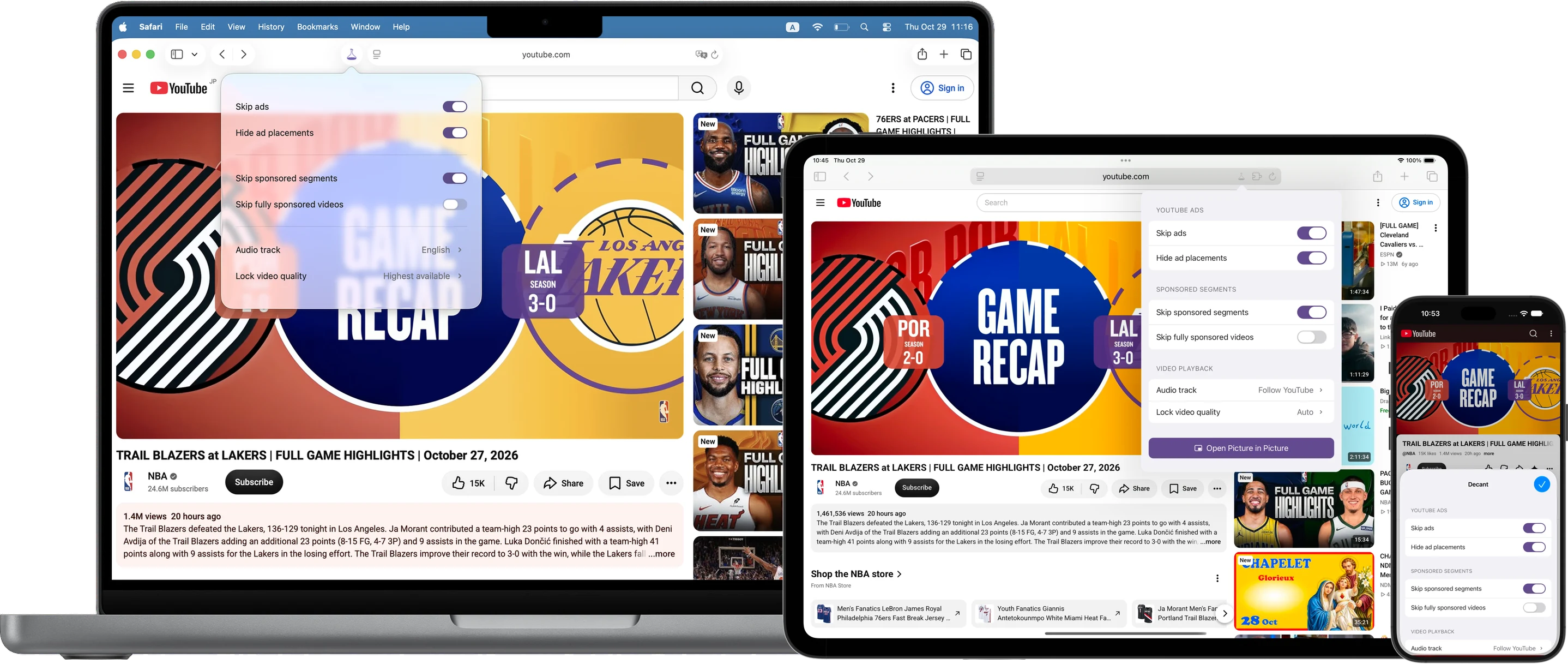
What it actually does
- Ads aren't skipped — they're never scheduled.
- Feed ads are hidden in place, not deleted, so nothing else on the page breaks.
- If one slips through anyway, it's muted and rushed past.
Before you install
Decant is a Safari extension, not something that watches the browser from outside. Safari has to be told to allow it — once, and then you can forget about it.
- Get Decant from the App Store.
- Turn the extension on, then allow it on all websites. iPhone & iPad: Settings → Apps → Safari → Extensions → Decant iOS 17: Settings → Safari → Extensions → Decant Mac: Safari → Settings → Extensions → Decant
- Open Safari and play something. If nothing changes, the extension is still off.
Beyond ads
- Keep the specified audio track. Pin the language you actually want instead of whatever YouTube picks for your region.
- Lock the quality. Hold a resolution instead of letting the player drift down mid-video.
- Skip sponsor segments. Cut the paid promotions inside a video.
Privacy
No account. No analytics. Nothing is sent to us — there is no server of ours to send it to.
Your settings stay on your device. If you turn on syncing, they go to your own iCloud account, which we can't read. The one exception is the sponsor lookup: the video ID goes from your device straight to the public SponsorBlock API.
Pricing
One-time purchase. Not a subscription.
Every feature is free for 7 days. If it's not for you, delete the app — there's no account to cancel and nothing to unsubscribe from.
Coming to the App Store
Questions
I can't find Decant in Safari's extension list.
On iPhone and iPad, extensions live in Settings → Apps → Safari → Extensions (on iOS 17 it's Settings → Safari → Extensions). On Mac it's Safari → Settings → Extensions. If Decant isn't listed at all, check that you're on iOS 17 / macOS 14 or later, and restart Safari once.
An ad still played. Why?
Decant stops ads from being scheduled. It can't cut something that's already inside the video file — a paid read recorded into the video itself, for example. For those, sponsor skipping helps, but only on videos where other viewers have submitted segments.
Do I have to buy it twice for my iPhone and my Mac?
No. One purchase covers iPhone, iPad and Mac.
Does it break my account, watch history or recommendations?
No. Decant doesn't touch your sign-in, and what you watch still counts as watched.
Does it work in Chrome, Firefox or Edge?
No. Decant is a Safari extension. On iPhone and iPad, Safari is the only browser that supports extensions.
Does it slow down page loads?
No. Nothing extra is loaded and we make no background requests of our own. The only outbound call is the sponsor lookup, and only when you have that feature on.
What happens when the trial ends?
The app keeps working, but the ad-free features stop until you buy. There's no subscription and no account, so there's nothing to cancel — deleting the app ends it.
Is this a VPN or a proxy?
No. Nothing is routed anywhere. Decant works inside Safari, on the page, on your device.